Verifications are checks that do not need to monitor uptime but are required to verify that something is ok and valid. This are added assurances that your infrastructure is correct and that there are no issues. Such checks are run at a less frequency and sometimes they also require more time to complete.
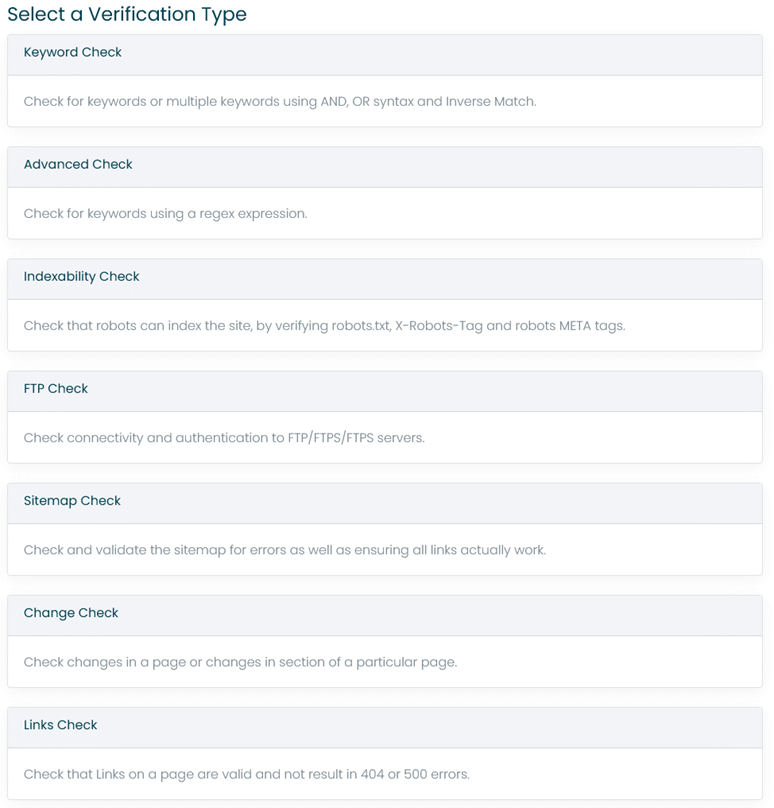
¶ Available Checks
¶ Keyword Check
The keyword check verifies that a URL returns a number of keywords, which can also include simple OR and AND matching as well as Negation.
Example
Hello OR World AND mywebsite
For the check to succeed, one keyword needs to be found within the URL from the OR Terms and all keywords need to match from the AND Terms. The OR Terms and AND Terms can be either OR or AND between themselves as specified in the condition. Finally the whole can be negated or inversed.
¶ Advanced Check
The advanced check is similar to the keyword check, but takes a regex expression as input. Netumo uses Microsoft Regex Syntax more details available here: https://docs.microsoft.com/en-us/dotnet/standard/base-types/regular-expression-language-quick-reference
¶ Site Indexability Check
The site indexability check ensures that your website can be accessed by bots such as Google Bot and Bing Bot. It will check the robots.txt file, the X-Robots-Tag header and the HTML meta robot tags.
Enter a URL to the root URL of the website such as https://www.mywebsite.com. Do not include robots.txt in the URL as that is detected automatically by Netumo, just like how a bot determines the location of the robots.txt.
¶ FTP Check
This will check that the FTP server is up and the credentials actually work. FTP, FTPS and SFTP are supported. For FTPS both Explicit and Implicit security is supported. For SFTP it is also possible to upload a key file.
¶ Sitemap Check
The Sitemap check validates that the sitemap XML file is valid and also that the links within are also valid.
Enter the full URL to the Sitemap like https://www.mycompany.com/sitemap.xml
¶ Change Check
The change check ensures that a section of a URL is identical between verification checks. Use the Start Pointer and End Pointer to enter the start and end section that will be checked.
The Start Pointer and End Pointer should contain the start term that is searched within the page. The first occurrence is matched. The End Pointer is the end term after the Start Pointer that should be checked for change. Using this method you can ensure that the content between the start and end pointer do not change.
<div id='mydiv'> [Any HTML content here]
</div>
Assuming that </div> is not present in [Any HTML content here] then the start pointer can be <div id='mydiv'> and end pointer </div>. Any changes to the content within the div would trigger an alert.
¶ Links Check
The Links check will validate links on a particular page, by sending a HEAD request. Only links that match the Domain property are checked. There is a limit of 200 links that are checked.
Enter the page URL such as https://www.mysite.com/mypage.html and for Domain enter mysite.com.
This will instruct Netumo to check all links which have mysite.com by sending a HEAD request to them.